How to Identify a Houseplant: A Practical Guide and the Best Apps
How to identify an unknown houseplant by leaf shape, growth habit, and other clues, plus which plant identification apps are actually worth using.
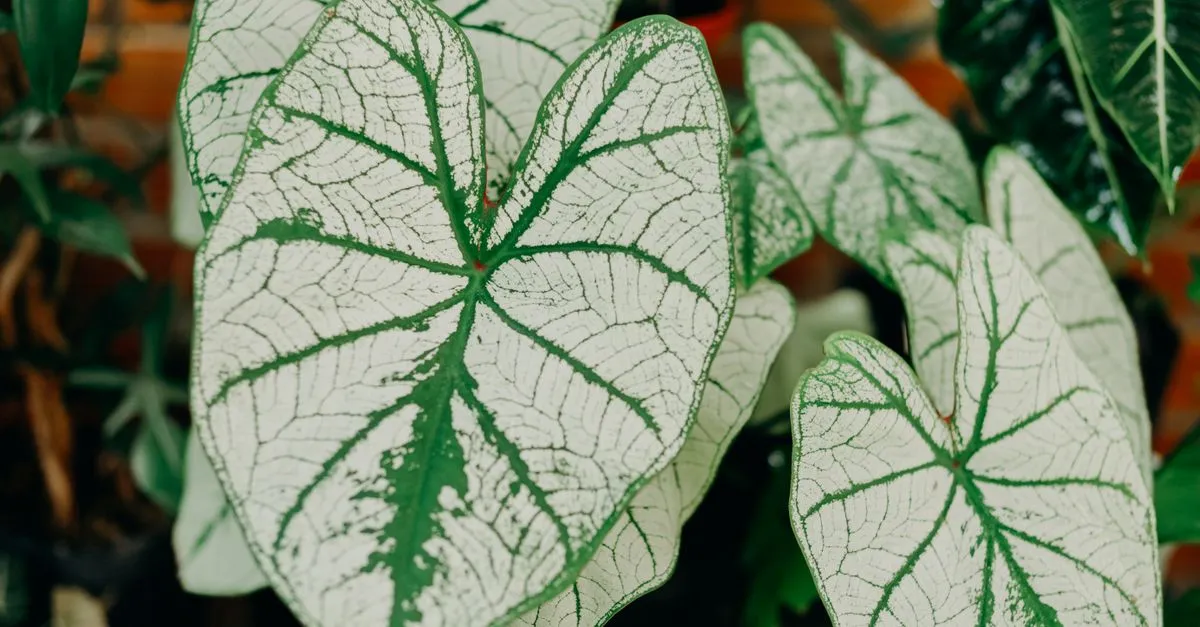
The honest answer is that you can usually identify a houseplant yourself in a few minutes by looking closely at a handful of features, and an app is worth running, but it should never be your final word. Most indoor plants sold today come from a fairly short list of common species, so narrowing down an unknown plant is easier than it feels. The trick is to look at the right things in the right order.
How to identify a houseplant by sight
Before you photograph anything, learn how to identify a houseplant the way a nursery worker does: by reading its structure rather than its overall vibe. Work through these in order, because the first two rule out the most options fastest.
Leaf shape. This is the single most useful clue. Note whether the leaves are long and strappy (snake plant, dracaena, spider plant), heart-shaped (pothos, philodendron), round and coin-like (pilea, peperomia), or deeply split and lobed (monstera, some philodendrons). Sketch the outline in your head: that shape alone usually cuts the field to a handful of candidates.
Leaf arrangement. Look at how leaves attach to the stem. Do they grow in pairs opposite each other, alternate up the stem, or fan out from a single point at the base in a rosette? A rosette points you towards succulents like echeveria or haworthia. Trailing stems with leaves spaced along them suggest a vine. This detail separates plants that otherwise look similar.
Texture and surface. Run a finger over a leaf. Is it thick and rubbery, thin and papery, fuzzy, waxy, or ridged with deep veins? Thick, plump leaves usually mean a succulent that stores water. Velvety or heavily veined leaves point towards calatheas, anthuriums, or African violets. Note the color and any markings too, but be careful: what looks like a natural silver pattern can sometimes be pest damage or spotting from disease, so check the marks are symmetrical and on every leaf.
Growth habit. Step back and look at the whole plant. Does it climb, trail, stay upright in a clump, form a single trunk, or sit low in a rosette? Growth habit confirms a guess more than it makes one, but it quickly tells a bushy upright plant from a climber that wants a moss pole.
Once you have two or three candidate names, search each one alongside the word “houseplant” and compare images. You are looking for a match across all four features, not just one.
What plant identification apps actually do well
ID apps such as PictureThis, PlantNet, Google Lens, and Seek can be genuinely useful for one job: producing a shortlist. Photograph a clean, well-lit leaf against a plain background, and the app will usually return a plausible family or genus. That is often enough to point your own research in the right direction, especially when you have no idea where to start.
If you are deciding between the two most popular options, here is how they compare on the things that matter for houseplant identification.
| Feature | PictureThis | PlantNet |
|---|---|---|
| Cost | Free with adverts; paid tier removes them | Free, no paid tier |
| Houseplant focus | Strong; large cultivar database including common indoor varieties | Good for species; weaker on cultivars and variegated forms |
| Accuracy on common houseplants | High for popular species; occasionally misidentifies lookalikes | Reliable for species-level ID; less confident on closely related cultivars |
| Accuracy on unusual specimens | Moderate; can hallucinate confident-sounding wrong names | Lower; more likely to flag low confidence rather than guess |
| Care tips included | Yes, built into the app | No; identification only |
| Verdict | Better default choice for typical indoor plants | Better when you want a second opinion or prefer no adverts |
For most people identifying a common houseplant, PictureThis returns a usable result faster. PlantNet is worth running as a cross-check, particularly if PictureThis returns a result that does not match your own leaf-shape read.
Treat an app’s answer as a lead to verify, not a verdict to trust.
If you would rather not install anything, you can try our own plant identifier: upload a photo and it returns a best-guess shortlist with a link straight to the care guide. Like any app, treat it as a starting point and confirm it against the four features above.
Where the apps fall short
Be clear-eyed about the limits, because this is where people go wrong.
They confuse lookalikes. Apps routinely mix up pothos and heartleaf philodendron, or one peace lily variety with another. Many common houseplants have near-identical relatives, and a photo cannot capture the small differences that separate them.
They guess confidently when wrong. An app rarely says “I am not sure”. It returns a name with a high percentage next to it even when the match is poor, which reads as certainty it has not earned.
They lean towards garden plants. Most of these tools were trained heavily on outdoor flora, so an unusual indoor cultivar can return an outdoor weed that simply shares a leaf shape.
The paid versions are not meaningfully more accurate at identification; you are mostly paying to remove adverts and unlock care tips.
How to confirm a name before you trust it
Cross-check the app’s suggestion against your own four-feature read. If they agree, you almost certainly have the right plant. If they disagree, trust your eyes and search the alternatives. A quick post to a houseplant forum or subreddit, with photos of the whole plant and a single leaf, will usually settle a stubborn case within a day. Once you have a confident name, the real work begins: look up its needs and give it a gentle settling-in period before judging how it is doing.
Read the plant before you reach for the app
The mistake that trips most people up is taking the app’s confident percentage as proof and skipping their own look at the leaves, so make the four-feature read your habit and treat any app result as one vote among several. Get into the routine of checking leaf shape, arrangement, texture, and growth habit first, and the apps become a useful second opinion rather than a crutch. Keep a couple of clear photos of any plant you are unsure about, because a good shot of the whole plant plus one leaf is what finally settles a stubborn identification on a forum.
Where to go next
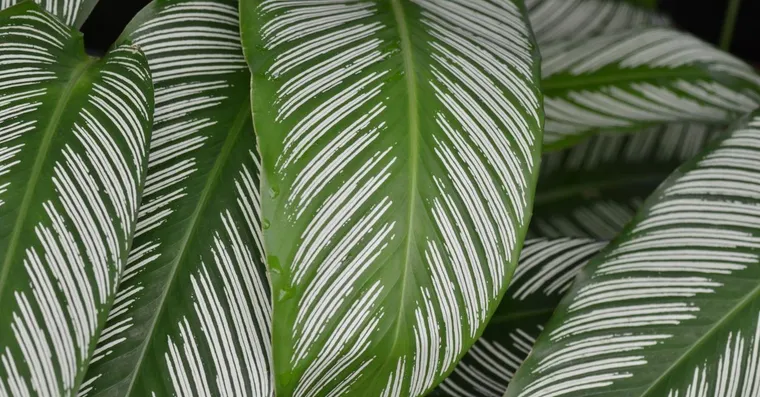
Calathea, Maranta, Ctenanthe or Stromanthe? Telling Prayer Plants Apart
All four prayer plant genera get sold under the same label. How to tell calathea, maranta, ctenanthe and stromanthe apart, and why their care differs slightly.
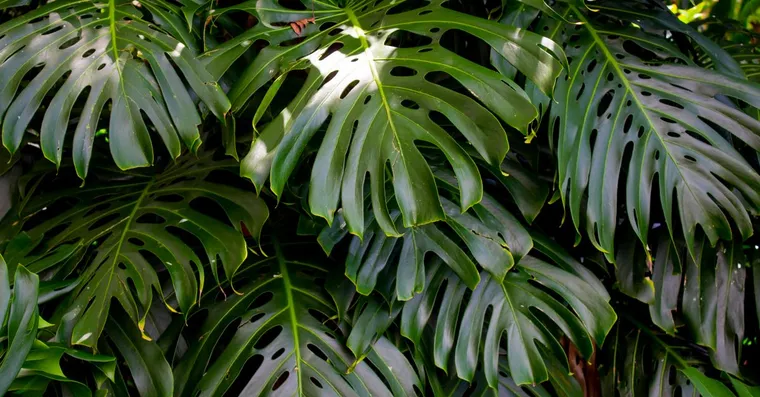
Monstera vs Split-Leaf Philodendron: Not the Same Plant
Monstera deliciosa and the split-leaf philodendron are two different plants that shops routinely mislabel. Here is how to tell which one you actually own.
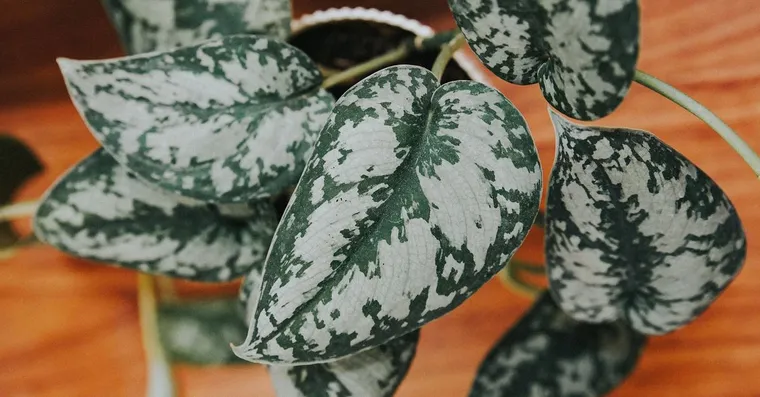
Pothos vs Heartleaf Philodendron: How to Tell Them Apart
The reliable ways to tell a pothos from a heartleaf philodendron: cataphylls, petioles, leaf texture and new growth, plus why shops so often mislabel them.
Not sure what plant you have? Identify it from a photo and we will point you at its care guide.
Frequently asked questions
How do I identify a houseplant by its leaves?
Start with leaf shape and edge, then compare how the leaves sit on the stem, their texture, any markings such as variegation, and the plant's growth habit. Together those features usually get you to a shortlist of two or three candidates rather than a single certain answer. Photograph the whole plant as well as a single leaf, and check the lookalikes against each other before you rely on the result, especially for a pet-safety decision.
Is there a free houseplant identification tool?
Yes. Our own photo identifier is free to use, and PlantNet is free with no paid tier. PictureThis weights its database towards indoor cultivars, so it often reads common houseplants better, but it gives you only a limited number of free identifications before asking you to subscribe. Cross-check any identification that matters, especially before deciding whether a plant is safe around pets.
Is PictureThis or PlantNet more accurate for houseplants?
PictureThis tends to perform better on common indoor cultivars because its database is weighted towards houseplants and it includes care information. PlantNet is stronger on wild species and is less likely to invent a confident wrong answer, so it works well as a cross-check. Use both when the identification matters.
Is PlantNet free to use?
Yes, PlantNet is completely free with no paid tier. PictureThis is free with adverts; a paid subscription removes them and unlocks additional care features, but it does not meaningfully improve identification accuracy.
Can a plant identification app tell apart pothos and heartleaf philodendron?
Not reliably. Both PictureThis and PlantNet frequently confuse these two plants because their leaves are so similar in photos. Check the leaf base yourself: pothos has a slightly indented base where the stem attaches, while heartleaf philodendron has a smooth, rounded base. That one detail settles most cases.
What is the best free app for identifying houseplants?
PlantNet is the most capable fully free option. For a faster result on everyday houseplants, PictureThis (free tier with adverts) is a good starting point. Google Lens is also worth trying if you already use Google Photos, though it is less specialized and returns web results rather than a curated plant match.